
Comparisons · 10 min read
Best AI Video Generator 2026: Tools Compared by Need
Compare the best AI video generators of 2026, from Veo 3.1 and Kling 3.0 to Runway, HeyGen and Lartist, by input, clip length, resolution and cost.

There is no single best AI video generator in 2026, only the best one for your job. This guide compares 11 tools by need. Across the top-ranked reviews, Google Veo 3.1 leads on overall quality and Kling 3.0 on value (flux-1.ai), while motiontheagency.com calls Kling its pick for everyday production. HeyGen and Synthesia are the picks for avatar videos. Per flux-1.ai, per-second pricing runs from $0.02 to $0.40, and single clips last 8 to 15 seconds.
The best AI video generators in 2026 at a glance
- Google Veo 3.1: overall quality, 4K with native audio.
- Kling 3.0: value and everyday volume.
- Seedance 2.0: premium hero shots.
- Runway Gen-4.5: creative control and editing tools.
- Luma Ray 3.14: post-production integration.
- HeyGen and Synthesia: avatar and talking-head videos.
- CapCut: free social media editing.
- Pika: enhancing existing clips.
- Higgsfield AI: several models in one place.
- Lartist: text and image to video plus an image studio in one browser tab.
Prices, resolutions, audio and clip lengths for other tools as reported by flux-1.ai.
Pick your tool in one step: a decision table
None of the top pages maps your situation straight to a tool. This table does, using what each review says the tool is for. Find the row that sounds like your project.
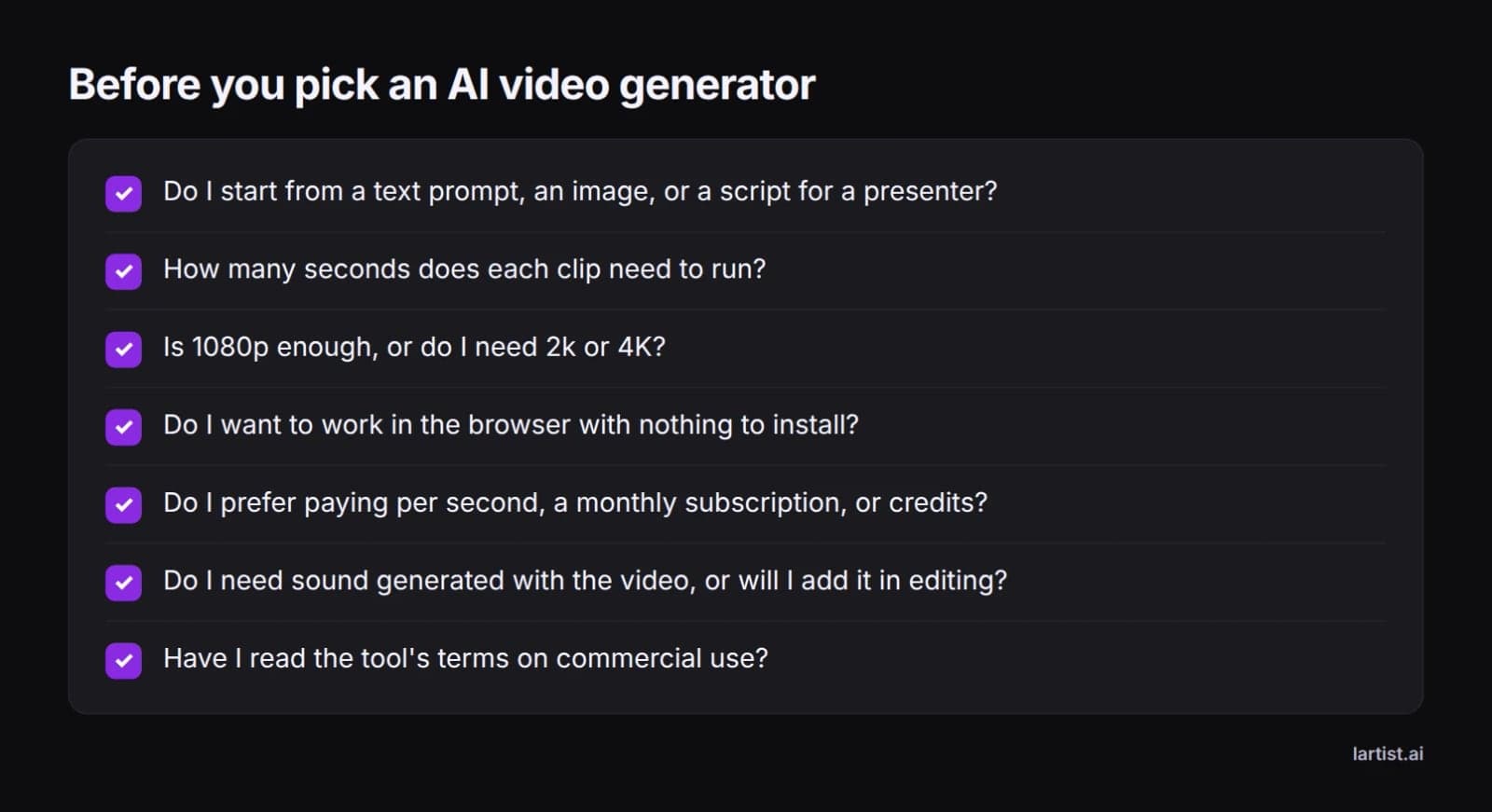
How to choose: the five questions that decide it
motiontheagency.com puts it plainly: there is no single best AI video tool for every project. Five questions narrow the field fast.
Do you start from text or from an image?
Text to video invents the whole scene from your words. That is quick for ideas, but you have less say over the exact look.
Image to video animates a still you already like, so the look, character and framing stay under your control. motiontheagency.com singles out Runway's Gen-4.5 image to video, and Lartist offers both text and image to video. Avatar tools such as Synthesia and HeyGen start from a script that a presenter reads. Check each tool's input options before you commit.
How long does each clip need to be?
Per flux-1.ai, Veo 3.1 tops out at 8 seconds per clip, Runway Gen-4.5 and Luma Ray 3.14 at 10, and Kling 3.0 at 15. For anything longer than one shot, you generate several clips and join them in an editor.
What resolution do you need?
flux-1.ai lists 4K for Veo 3.1, Kling 3.0 and Luma Ray 3.14, and 1080p for Runway Gen-4.5, Synthesia and HeyGen.
For social feeds, websites and phone viewing, 1080p is plenty. Go higher when the video plays on a big screen, or when you plan to crop and reframe in post. Cropping cuts away pixels, so starting higher keeps the result sharp.
Browser or installed app?
flux-1.ai notes free Veo access runs through Google AI Studio, a website, while CapCut is widely used as a phone and desktop app. Lartist runs entirely in the browser with nothing to install, and its interface is in English, French and German.
How do you want to pay: per second, subscription or credits?
The right model depends on how steadily you produce.
In Lartist, every feature spends credits. Plans add credits each month or each year, and credit packs top them up. See the plans on /pricing.
The best AI video generator for each job
Best for cinematic quality: Google Veo 3.1
Veo is Google's model. flux-1.ai says it sits at the top of most benchmark comparisons and generates 4K video with native audio, so sound effects and ambient sound are made alongside the picture.
The trade-offs are cost and speed. At about $0.40 a second it sits at the premium end, a 10 second clip can take 2 to 4 minutes to generate, and free access through Google AI Studio is heavily rate-limited (flux-1.ai).
Best value for volume: Kling 3.0
Kling 3.0 comes from Kuaishou. flux-1.ai scores it 8.4 on visual fidelity against Veo 3.1's 8.7, at a fraction of the per-second price, with configurable camera movements.
motiontheagency.com calls it the tool they reach for most often in day-to-day work. wavel.ai highlights realistic human movement and character consistency across scenes.
Best for premium hero shots: Seedance 2.0
motiontheagency.com places Seedance 2.0 at the other end of the cost-versus-quality spectrum from Kling. Their advice is to save it for premium hero shots, the few moments in a project where quality matters most.
Best for creative control: Runway Gen-4.5
flux-1.ai calls Runway the filmmaker's tool and puts Gen-4.5 in the mid-range on price. motiontheagency.com is more measured: Gen-4 scored fairly low in one outside comparison, but Aleph, the editing tools and Gen-4.5 image to video are where Runway earns its place. Choose it if you want a full creative suite, not just a generator.
Best for avatar and training videos: Synthesia and HeyGen
These tools turn a script into a presenter-led video rather than inventing cinematic scenes.
Per flux-1.ai, Synthesia's avatars deliver scripts in over 140 languages. HeyGen can take a video of a real person speaking and translate it into 40+ languages with matched lip movements, and it offers API access. Pick these for training, onboarding, sales outreach and explainers.
Best for social media and TikTok: CapCut
wavel.ai says CapCut continues to dominate short-form content creation. It fits TikTok, Reels and Shorts, where editing speed, captions and templates matter more than raw generation quality. It is also a handy place to finish clips generated elsewhere.
Best for enhancing existing clips: Pika
wavel.ai says Pika focuses on transforming and enhancing existing content rather than only generating from scratch. It suits you if you already have footage and want to add effects or change it.
Best for multi-model access: Higgsfield AI
motiontheagency.com describes Higgsfield as an aggregator that gives you several AI video models through one platform. It helps if you want to try different models without juggling accounts.
Text and image to video plus an image studio: Lartist
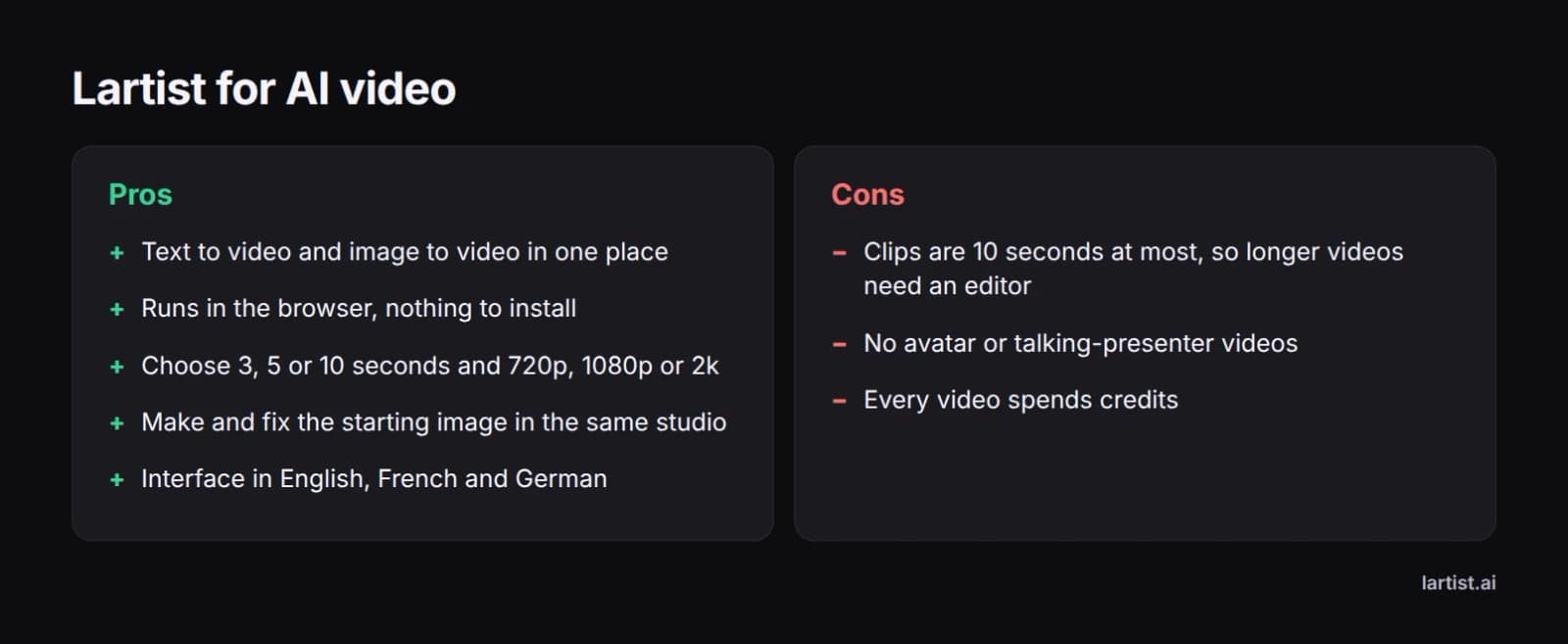
Lartist is an AI art studio that runs in the browser, with text to video and image to video next to its image tools.
The point is the workflow around the clip. Make the still first with text to image, sketch to image or restyle. Or open the studio editor, describe a change in words, and it redraws the picture, for example to fix a hand or remove a stray object. Then animate the result, so your starting frame is approved before you spend credits on motion. Explore the Lartist video studio, or read why creators choose Lartist.
Other AI video generators the top reviews rank
- Hailuo AI: wavel.ai says it offers one of the more generous free generation allowances among newer tools, and rates it for volume generation.
- InVideo AI: wavel.ai calls it ideal for marketers who want videos built from stock footage, templates and automated editing.
- Adobe Firefly: Adobe's generator, included in motiontheagency.com's list of tools worth knowing.
motiontheagency.com also lists Syren by Synthesia, an AI video generator built for business, Gemini Omni Flash, which it calls a specialist tool rather than an all-purpose cinematic generator, and Magic Hour. wavel.ai ranks its own Wavel AI first for an all-in-one free workflow with voiceovers, dubbing and subtitles.
Do AI video generators produce audio?
Some do. Per flux-1.ai, Veo 3.1 generates native audio with the video. Kling 3.0 and Runway Gen-4.5 rely on post-sync, and Luma Ray 3.14 has no audio. Synthesia and HeyGen produce spoken avatars with text-to-speech or voice cloning. If sound matters, check the audio column in the comparison table, or plan to add sound in editing.
Best free AI video generators in 2026
wavel.ai lists free plans for Veo 3, HeyGen, CapCut, Kling, Pika, Luma, InVideo AI and Hailuo AI, and calls Runway's free plan limited.
The catch: free tiers are rate-limited, as flux-1.ai notes for Veo, and advanced features need paid plans (wavel.ai). Free plans are good for testing a tool's style, rarely for regular production. Lartist works on paid plans and credit packs.
Best image to video AI: when to start from a still
Starting from an image has two benefits. You approve the frame before you pay for motion, so the composition never surprises you. And you can keep a character or product consistent across clips by animating stills from the same set.
Runway's Gen-4.5 image to video gets a mention from motiontheagency.com. Lartist lets you make the still and animate it in the same place. For a full comparison and tips for smooth motion, see our guide to the best image to video AI tools.
How to make an AI video in Lartist, step by step
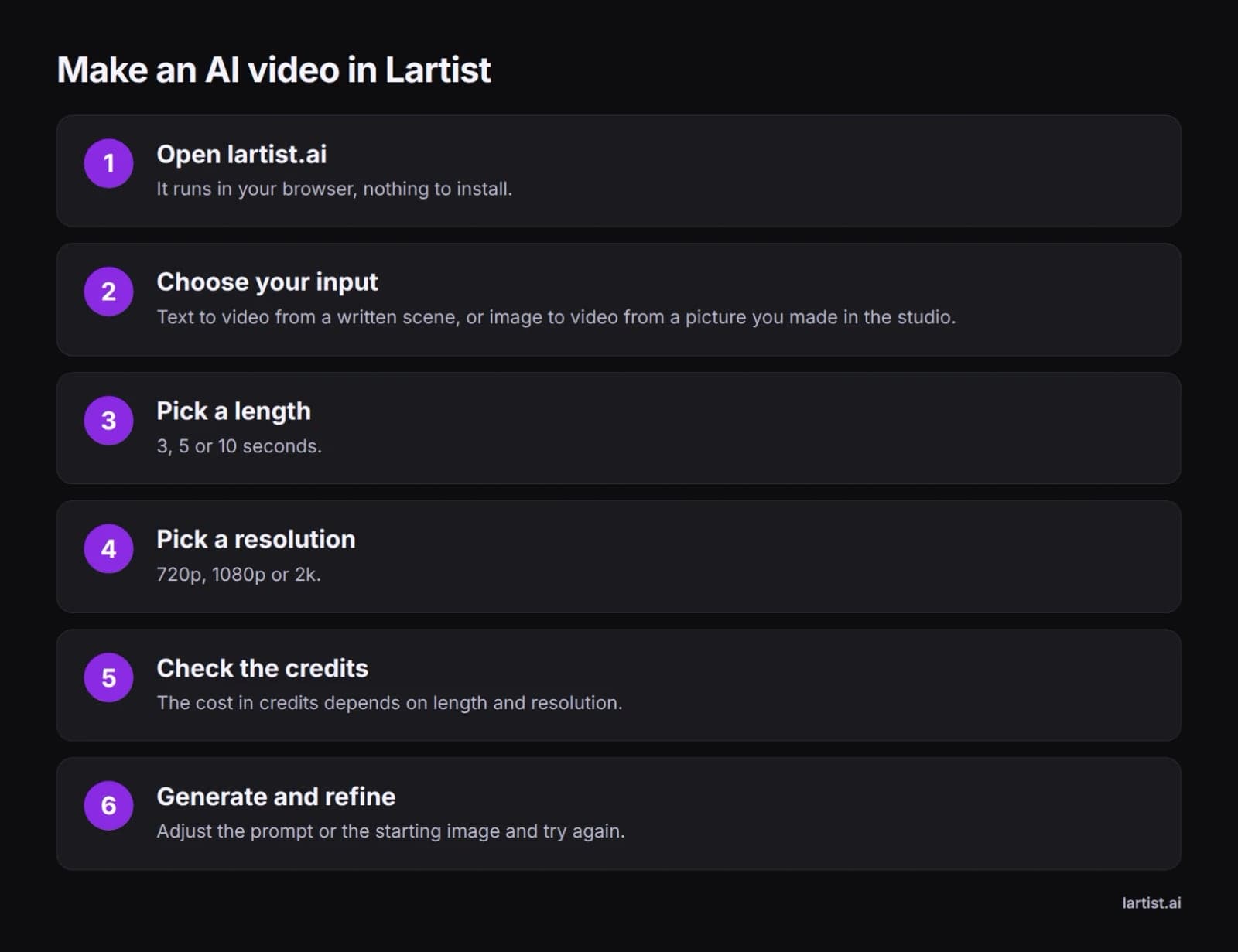
- Open lartist.ai. It runs in your browser, with nothing to install.
- Choose your input. Pick text to video and write the scene, or image to video and start from a picture you made in the studio.
- Pick a length: 3, 5 or 10 seconds.
- Pick a resolution: 720p, 1080p or 2k.
- Know the cost model. Credits depend on length and resolution.
- Generate and refine. Adjust the prompt or the starting image and try again.
Tip: credits depend on length and resolution, so test the motion at a short length and 720p first. Once you have a take you like, render the keeper at the resolution you need.
Can you use AI-generated videos commercially?
It depends on the tool and often on the plan. Rights vary between providers, so read each provider's terms before using a clip in an ad, a product page or client work. Check who owns the output, whether attribution is needed, and whether free-tier clips carry different rules.
For practical advice on safeguarding what you make, read protecting your work as an AI artist.
If you want text and image to video beside a full image studio in one browser tab, try the Lartist video studio and see the plans on /pricing.
FAQ
What is the best AI video generator in 2026?
There is no single winner, so start from your project. Answer the five questions above (input, clip length, resolution, browser or app, and how you pay), then use the decision table to find your row. Shortlist two tools, run the same prompt through both and keep the one whose output you would actually publish.
What is the best free AI video generator in 2026?
According to wavel.ai, Hailuo AI offers one of the more generous free allowances among newer tools. Veo 3, HeyGen, CapCut, Kling, Pika, Luma and InVideo AI also have free plans, and Runway's is limited. Expect rate limits and locked features, so use free tiers to test before you pay.
How much does AI video generation cost?
Per flux-1.ai, per-second tools range from about $0.02 to $0.10 for Kling 3.0 up to about $0.40 for Veo 3.1, with Runway Gen-4.5 and Luma Ray 3.14 in between. Synthesia and HeyGen use subscriptions from around $29 to $30 a month. Lartist uses credits that depend on clip length and resolution.
Which AI video generator has the best character consistency?
wavel.ai credits Kling with realistic human movement and character consistency across scenes, so it is the pick when one person must look the same from shot to shot. Another route is to start from stills: animate images from the same set with an image to video tool, so the face and outfit are fixed before motion is added.
How long can AI-generated video clips be?
Most single clips run 8 to 15 seconds. Per flux-1.ai, Veo 3.1 tops out at 8 seconds, Runway Gen-4.5 and Luma Ray 3.14 at 10, and Kling 3.0 at 15, while Synthesia and HeyGen have no fixed limit. Lartist makes clips of 3, 5 or 10 seconds. For longer videos, join several clips in an editor.
Can I make AI videos on an iPhone?
Yes. CapCut has an iPhone app, and wavel.ai calls it the best free tool for social media creators. Browser tools need nothing installed: Lartist runs in the browser, so you can make a still, animate it into a 3, 5 or 10 second clip, then finish and post it in CapCut.
What is the best AI video generator for kids?
None of the top reviews tests tools for children, so an adult should choose and hold the account. Read each tool's terms for age limits before signing up. Script-led tools such as Synthesia suit school presentations, while CapCut's templates make short clips simple to edit together with a parent or teacher.