Comparisons · 11 min read
Best AI Dance Video Generator: Two Routes Compared
The best AI dance video generators compared: Viggle and Kling motion transfer, free limits, and how to prompt a photo to dance in Lartist.

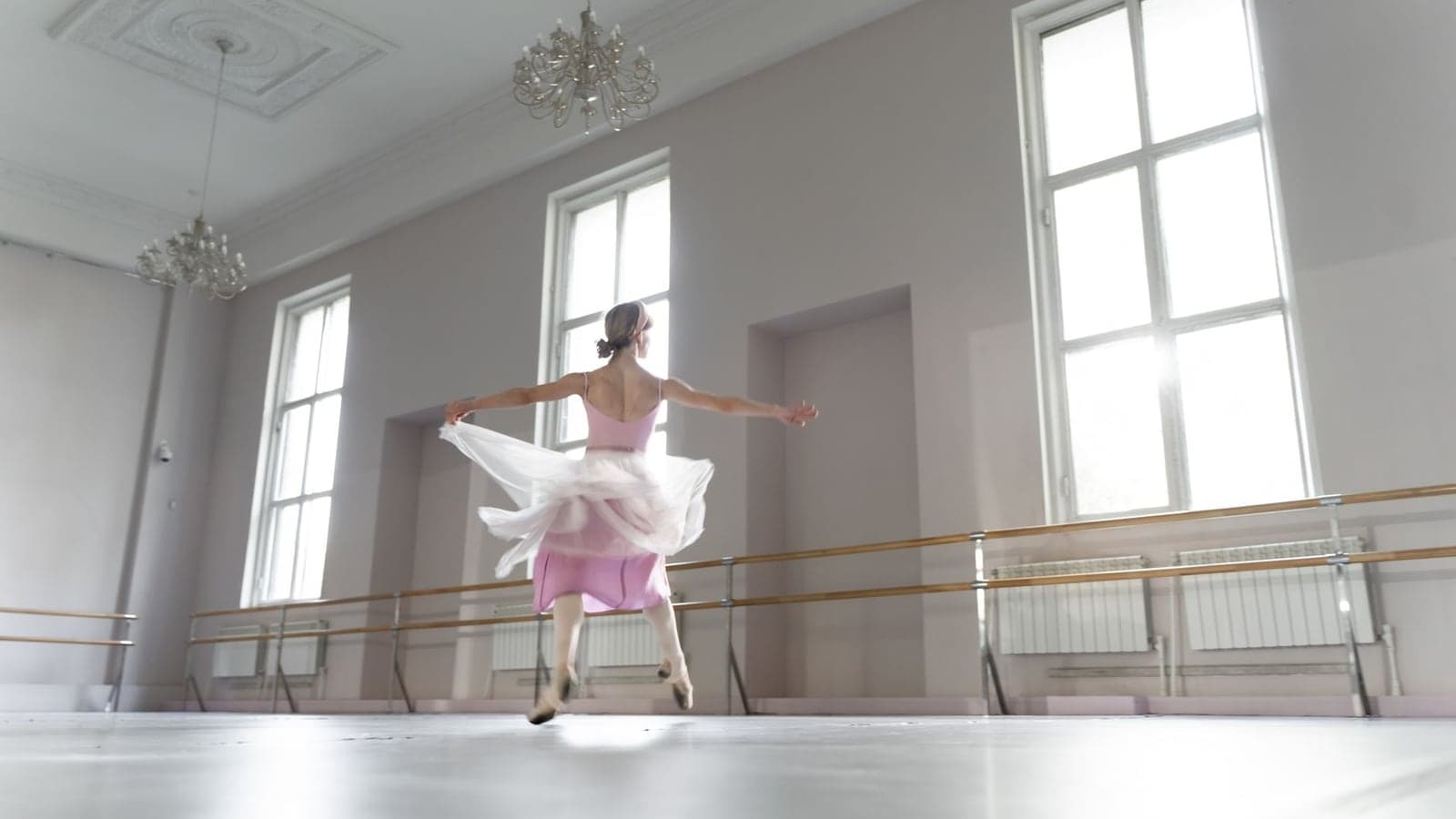
The best AI dance video generator depends on one thing: whether you already have the dance. If you have a clip of someone dancing, use a motion transfer tool. Viggle AI is the free pick at 5 dance videos a day, and Kling AI Motion Control is the realistic one at up to 30 seconds, per crepal.ai and twoshot.app. If you have only a photo and no clip, use a prompted image to video tool and describe the move, which is what Lartist does in 3, 5 or 10 second clips.
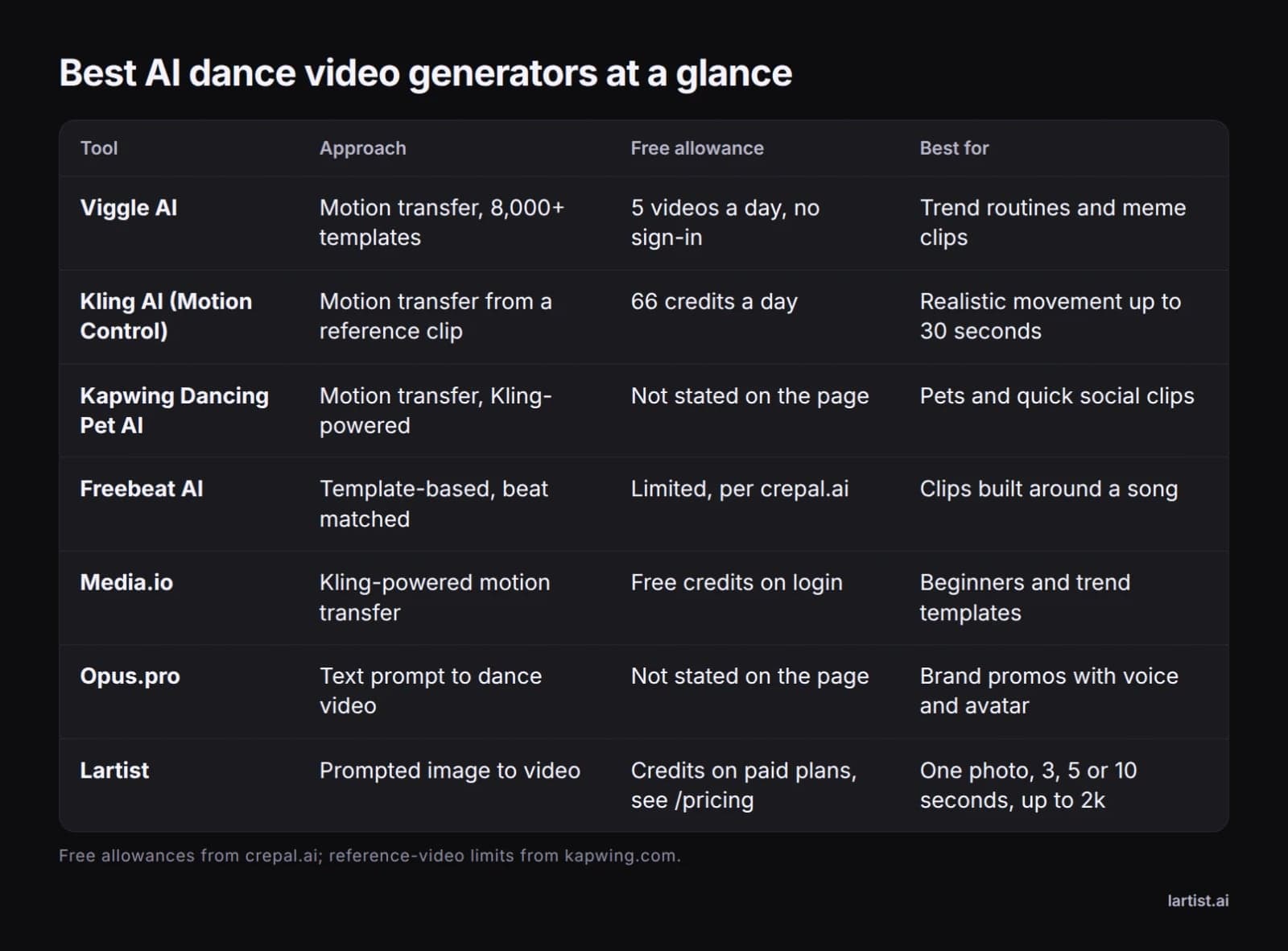
- Best free option: Viggle AI, 5 dance videos a day without signing in, per crepal.ai.
- Best for believable bodies: Kling AI Motion Control, up to 30 seconds, 66 free credits a day, per crepal.ai.
- Best for pets: Kapwing Dancing Pet AI, a pet photo plus a dance reference under 10 seconds, per kapwing.com.
- Best for text-only prompts: Opus.pro, and Lartist for one photo at 3, 5 or 10 seconds.
- Best for vertical social: twoshot.app, 9:16 output at 720p or 1080p, per twoshot.app.
The Two Ways to Make an AI Dance Video
Every tool on this page does one of two jobs, and knowing which job you need removes most of the list.
Motion transfer: a real dance copied onto your photo
This route takes two inputs, a still image and a video of someone dancing, and maps the movement onto your character. crepal.ai describes Kling's Motion Control exactly this way, and twoshot.app's own page says the same: upload a character image and a motion video, and the AI transfers the movements across.
You need a reference dancer, but you do not need to describe anything. The dance already exists, and the tool copies it.
Image to video: the dance described in words
The second route takes one input, a photo, plus a written prompt describing the move, the camera and the pace. Nothing is copied, so you are directing the motion rather than cloning a clip, and no reference dancer is involved.
Which one you need depends on whether you already have the dance. Chasing a trending TikTok routine means motion transfer. Wanting one specific picture to move, with no clip in hand, means prompting.
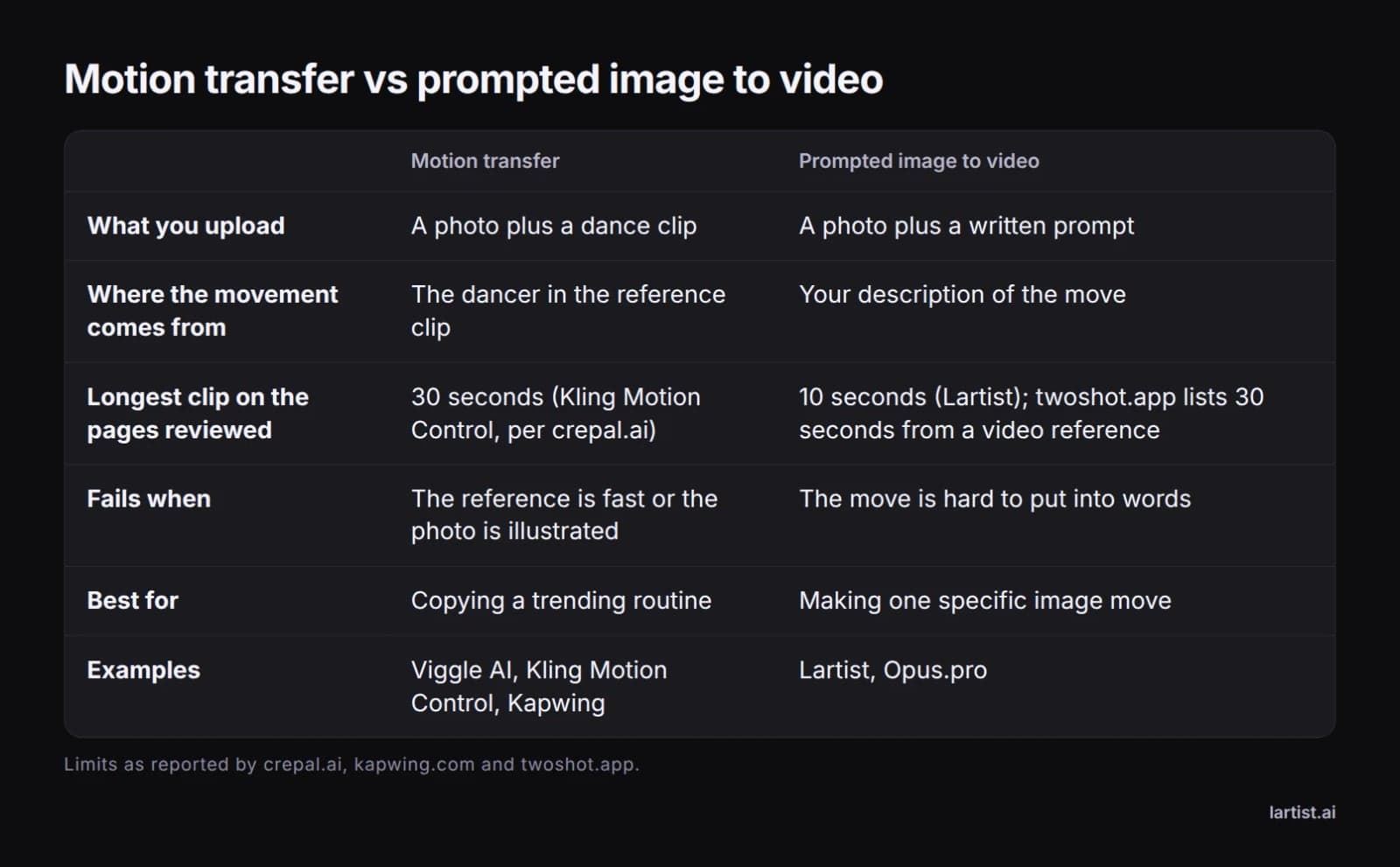
Length limits split the same way. Kling's Motion Control runs to 30 seconds per crepal.ai, twoshot.app offers up to 30 seconds with a video reference and 10 seconds from an image, and Lartist generates 3, 5 or 10 second clips.
The two routes also fail differently. Motion transfer can drift away from the illustration style of a drawing by about frame 15, as crepal.ai saw with Viggle. A prompted clip has no source to drift from, but you have to put rhythm into words.
Best AI Dance Video Generators, Compared
Viggle AI, the free option
Viggle AI is crepal.ai's pick for free volume: 5 dance videos a day without signing in, a template library counted at 8,000+, and a physics model that keeps rhythm sync reasonable. The output is slightly stylised, which helps meme clips and hurts photoreal ones.
Kling AI Motion Control, the realistic one
Kling AI's Motion Control is the one to beat for believable bodies. crepal.ai tested it with a 12-second K-pop routine at 1080p and found minor hand-crossing artifacts on frames 7 to 9, nothing that broke the clip, and notes it tops the 2026 ELO benchmarks for human-subject video. The free tier is 66 credits a day, and crepal.ai cites a pricing analysis putting a 10-second Pro clip near 200 credits.
Kapwing Dancing Pet AI, for animals
Kapwing's generator shows how narrow these tools can get: a pet photo plus a dance reference video under 10 seconds, sent through Kling Motion Control, then captions and music inside Kapwing. The reference must be a video file, not a GIF.
Freebeat AI and Media.io, for music and beginners
Freebeat AI builds clips around a song instead of a reference dancer, matching movement to the track's BPM, and crepal.ai's table lists it as template-based rather than motion transfer. Media.io is Kling-powered motion transfer with free credits on login, which makes it the gentle introduction.
Opus.pro and phone apps, for text-only prompts
Opus.pro goes the other way entirely: you type a description and it generates choreographed dance in styles from hip-hop to ballet, with voice and avatar options for promos. On phones, the Dance AI app on Google Play sells the same photo-to-dance idea as a subscription.
twoshot.app is worth a look for format alone: 720p and 1080p output, 9:16 for TikTok, Reels and Shorts, and up to 30 seconds when you supply a motion video.
Make a Photo Dance in Lartist, in 5 or 10 Seconds
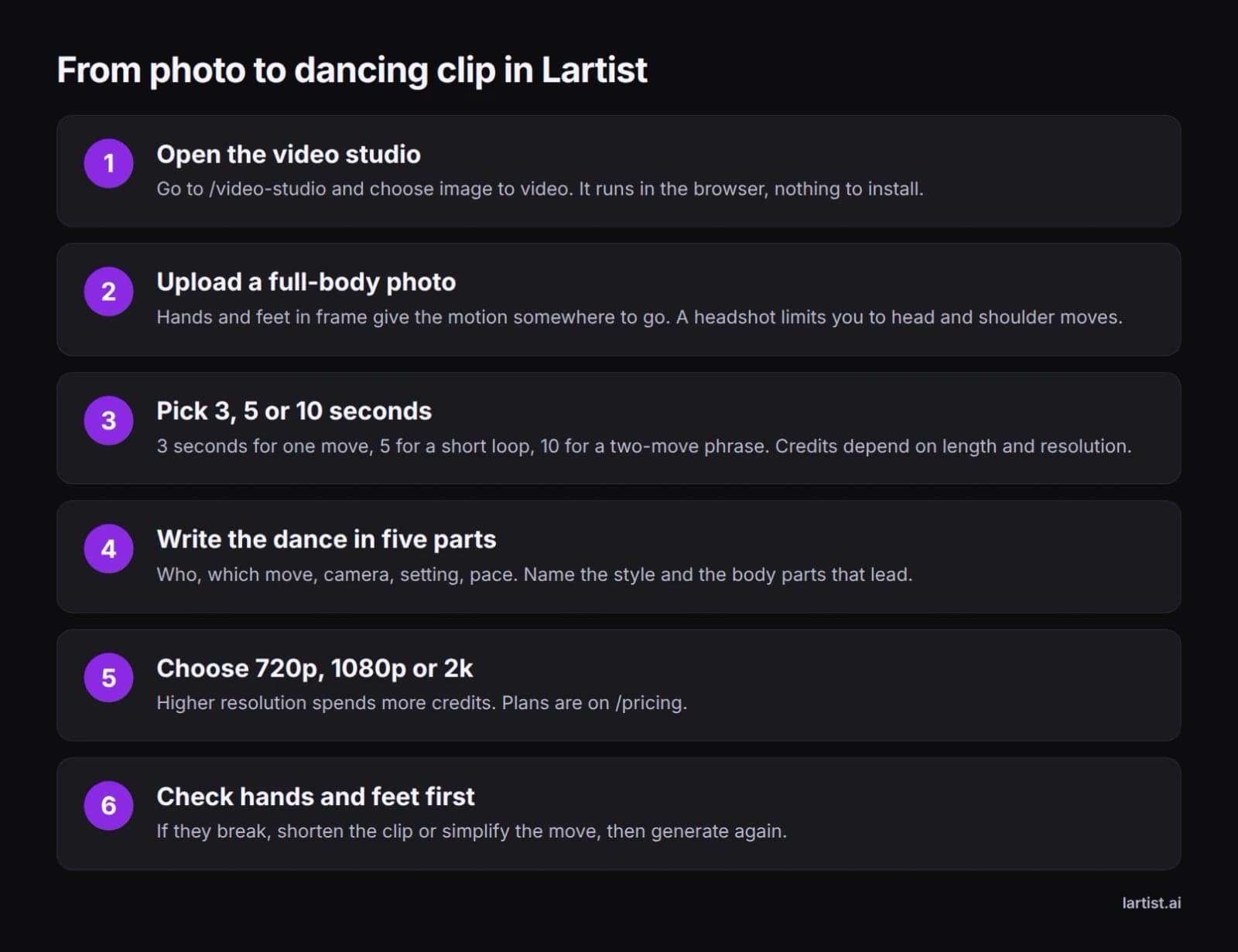
Open the video studio, choose image to video and upload the photo. Lartist runs in the browser, nothing to install, and the interface is in English, French and German.
Choose the length first, because it changes what you can ask for. 3 seconds holds one move, 5 seconds holds a short loop, and 10 seconds holds a two-move phrase. Resolution is 720p, 1080p or 2k, and credits depend on both length and resolution, so check the plans on /pricing before you batch.
Write the prompt in five parts: who is dancing, which move, where the camera sits, the setting, and the pace. Name the body parts that lead. For example: a woman in a red dress dancing a fast salsa, hips and shoulders leading, camera locked at chest height, a tiled courtyard at golden hour, confident and rhythmic.
Lartist works from a photo and a prompt, so the motion comes from your words rather than from a clip. That is the strength when you have no reference dancer, and the limit when you want to copy someone's exact routine.
Upload a full-body shot where hands and feet are in frame, because the motion has somewhere to go. A headshot limits you to head and shoulder moves.
Generate once, then judge hands and feet before anything else. If they break, simplify the move or shorten to 3 or 5 seconds and run it again.
Dance Prompts That Work, by Style
Hip-hop
A dancer in a hoodie hitting sharp arm and chest isolations to a fast beat, low camera angle, a graffiti wall at night, aggressive and bouncy.
Salsa and Latin
A couple dancing salsa in a crowded bar, hips and shoulders rolling, hands linked, camera at waist height, warm string lights overhead, playful and fast.
Ballet and contemporary
A dancer in a pale leotard rising onto pointe and turning slowly, arms floating upward, camera fixed at floor level, an empty studio with tall windows, calm and controlled.
K-pop cover
A dancer performing a sharp K-pop chorus routine, hands hitting positions on the beat, camera at eye level, a bright practice room with mirrors, precise and energetic.
Animal and pet dances
A golden retriever bouncing on its hind legs to a fast beat, ears swinging, camera at floor level, a sunlit kitchen, silly and joyful. crepal.ai's writer started with a dog too, so the demand is not in doubt.
What AI Dance Generators Still Get Wrong
Hands are the first thing to go. crepal.ai watched fingers cross on frames 7 to 9 of an otherwise clean 1080p Kling clip, and that is the state of the best tool on the list.
Feet slide and lose contact with the floor, especially on fast steps. A 3-second burst of one move usually survives where a 10-second routine does not.
Style drift hits illustrated characters. Viggle showed noticeable drift by frame 15 on a drawn character in crepal.ai's test, while Mango AI was built for exactly that case and caps output at 30 seconds.
Everything is short. The 30-second ceiling on Kling and twoshot.app is the realistic maximum on this page, and Lartist stops at 10 seconds. Plan a hook, not a routine.
Syncing to the beat is manual on a prompt-only route. Freebeat matches movement to a track's BPM, and crepal.ai lists that as its whole reason to exist.
Free AI Dance Video Generators: What Free Gets You
Viggle AI is the most generous free tier on the first page: 5 dance videos a day, no sign-in, per crepal.ai. For a single trend clip, that is enough.
Kling's 66 daily credits work out to roughly three days of free credits per Pro generation on crepal.ai's figure, or far more on cheaper modes. Media.io hands out free credits on login and runs on Kling underneath, so the quality is familiar and the allowance is the limit.
Lartist works on credits: every feature spends credits, plans give credits each month or each year, and credit packs top them up. Compare the cost per finished clip on /pricing against the free allowances above.
A free tier is also a watermark and queue question. If the point is a clean vertical clip for TikTok, budget for a paid mode somewhere in the chain.
AI Dance Videos on TikTok: What Creators Use and How to Do the Trend
What TikTokers are actually using
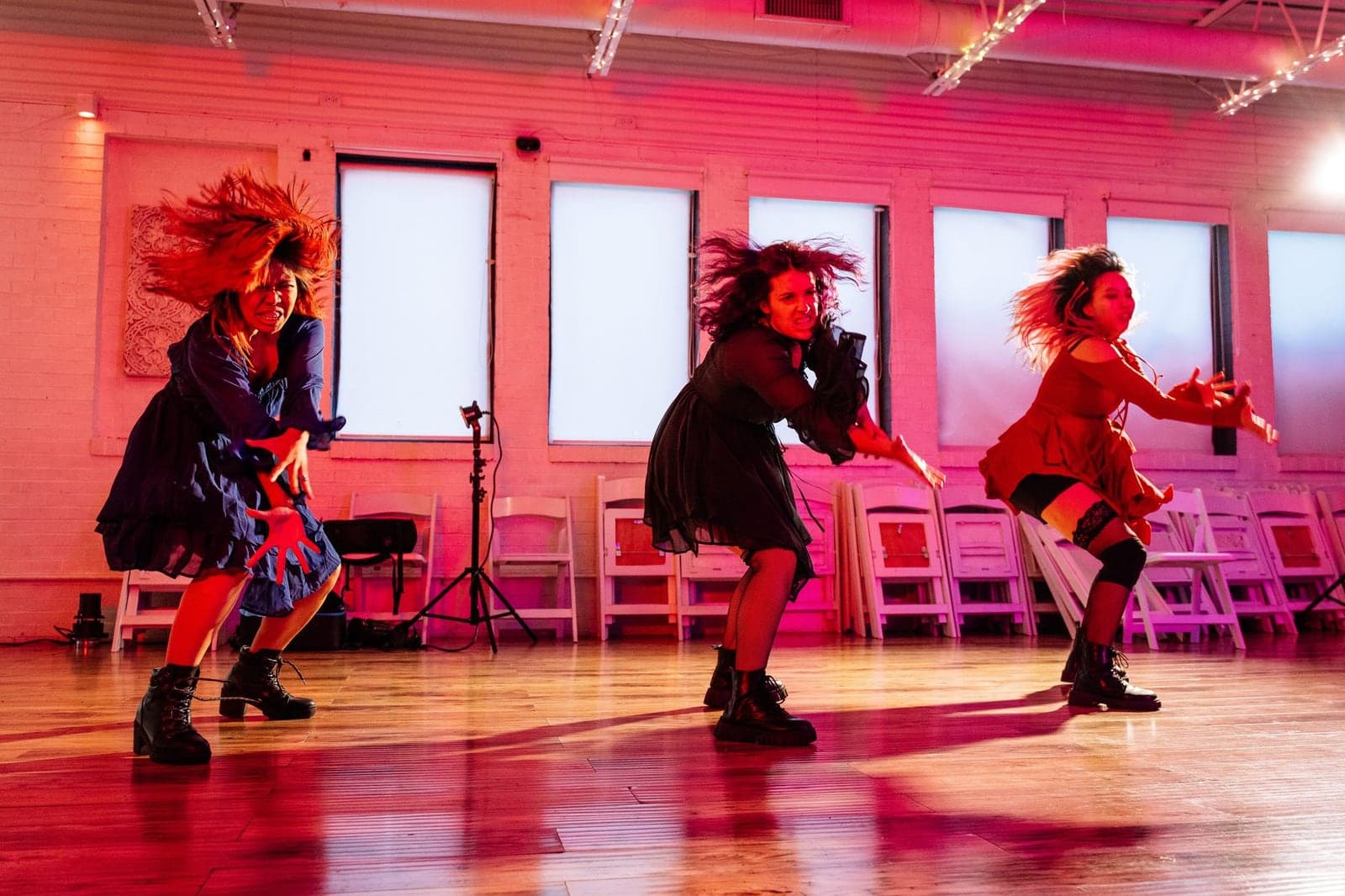
The common stack is short. Find a dance clip, run it through a motion-transfer tool with a photo, export vertical, then add the sound and captions in an editor. Viggle is the tool most often named for this, with 5 free videos a day per crepal.ai.
Format matters more than resolution. twoshot.app advertises 9:16 for TikTok, Reels and Shorts, and that is the setting to look for, because a 16:9 clip with black bars gets scrolled past.
How to do the AI dance trend, step by step
Pick a reference clip under 10 seconds if you are using Kapwing, crop so the dancer fills the frame, upload a still with a clear face and visible hands, generate, then check frame by frame before you export.
Creators also make AI dance content with no reference at all, by typing a description into a text-to-video tool like Opus.pro, or by cutting a template from a library rather than a clip.
Does TikTok accept AI-generated video?
TikTok's rules ask creators to label realistic AI-generated content, and the platform accepts it when it is labelled and follows the community guidelines. Label it in the post, not in a comment.
Will AI Replace Dancers?
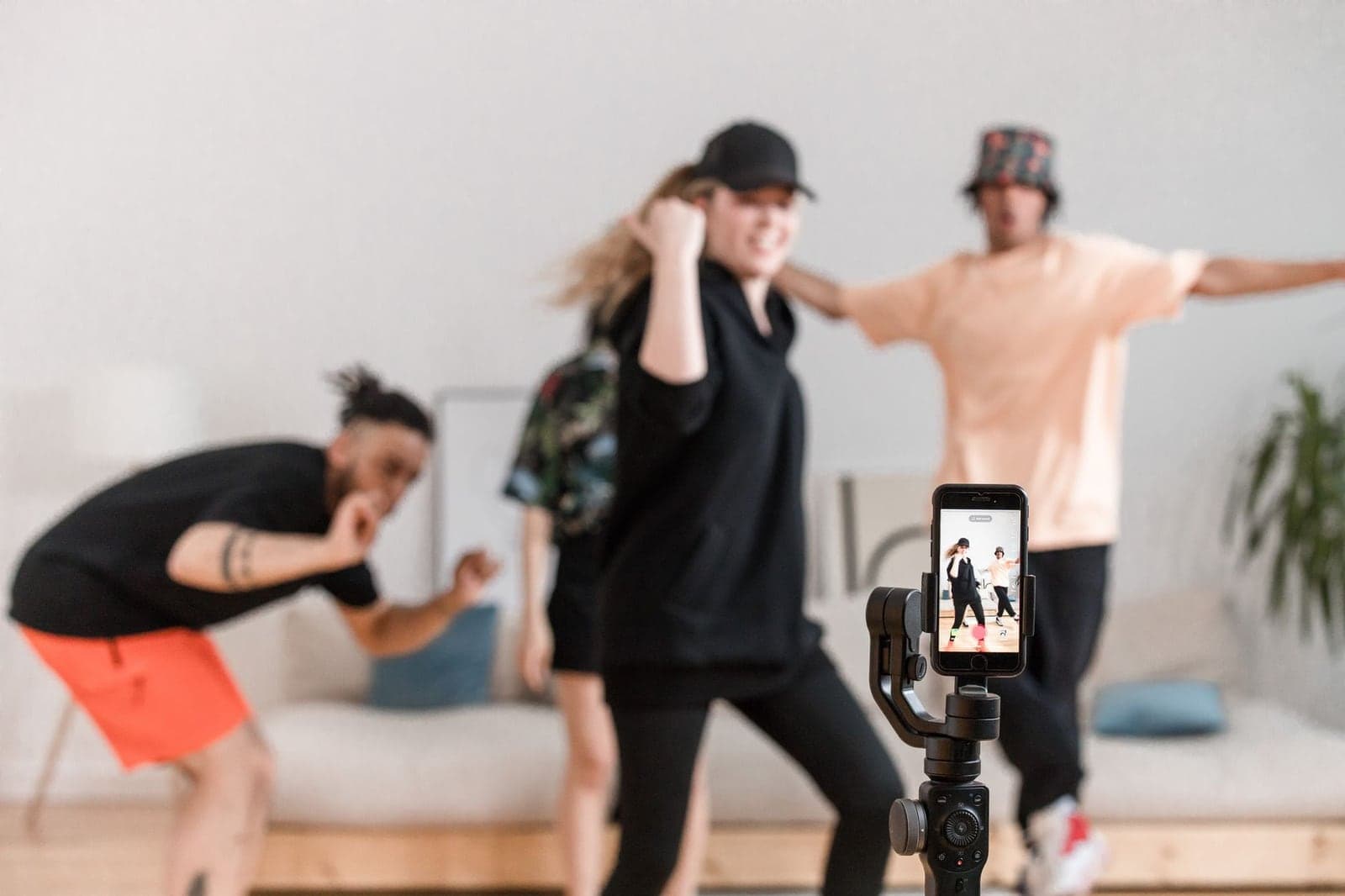
No, and the reason is in the mechanics. Every clip on this page is driven by motion that was filmed from a real person at some point, whether as a reference video or as a template in a library. crepal.ai counts 8,000+ Viggle templates, and each one started as a dancer.
What changes is the job. Dancers get booked to record reference clips and to build template libraries, which is a different market from performing live, and a smaller one.
Rights are the practical issue for everyone else. If the reference clip of the routine is not yours, check that you have permission to run it through a generator and post the result, and read up on protecting your work as an AI artist before you build a channel on borrowed choreography.
Which AI Video Maker Is Best, and Can ChatGPT Make the Video?
Best depends on your input, not on a leaderboard. A reference dance clip points to Kling Motion Control or Viggle. A single photo with no clip points to a prompted image-to-video tool. A brand promo with a voice and an avatar points to Opus.pro.
On pure realism, Kling's Motion Control is the tool the first page keeps returning to, with up to 30 seconds per crepal.ai and minor hand artifacts at 1080p. On free volume, Viggle. On illustrated characters, Mango AI.
ChatGPT is useful here, but not as a renderer. It writes the shot list and the prompt, including the five-part prompt above, and you paste that into a generator that actually moves the pixels. It does not produce a dance clip on its own.
For the wider field beyond dance, the best AI video generator 2026 roundup sorts tools by need, and the image to video guide covers prompts in more depth.
How to Choose: Four Questions
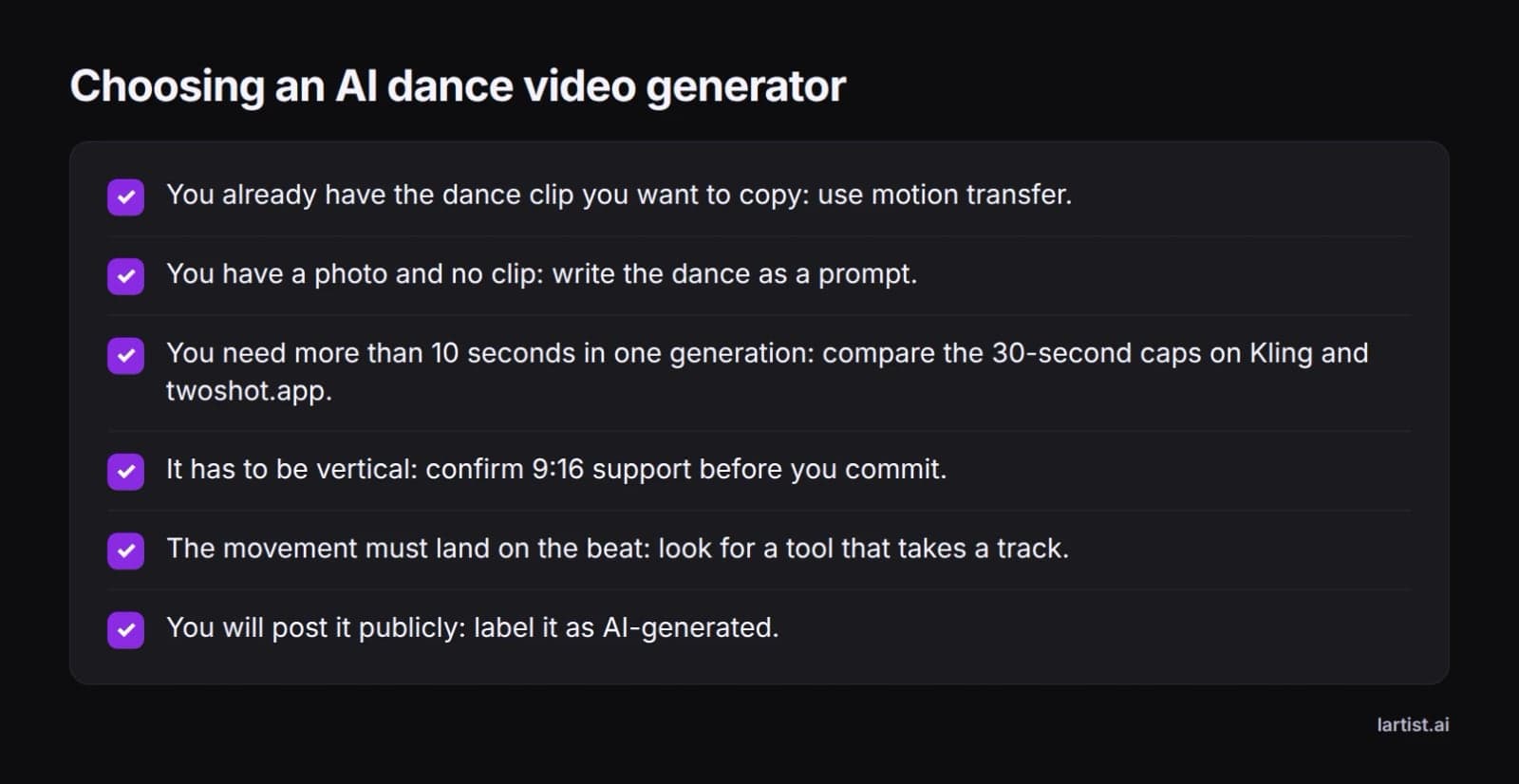
Ask whether you have the dance already. Yes means motion transfer, no means prompting. That single answer removes half the tools on this page.
Ask how long the clip has to be. If 10 seconds is enough, a prompt route like Lartist is simple. If you need 30, you are choosing between Kling and twoshot.app.
Ask what shape it has to be. Vertical 9:16 is the default for social, and not every tool on the first page says it supports it, so check before you upload.
Ask how many attempts you can afford. Free credits buy experiments, and credits on a plan buy finished clips. Work out the cost per usable clip, not the cost per generation.
If you want the still and the motion in one place, Lartist is an AI art studio in the browser: make or upload the photo, then take it into image to video in the same account with nothing to install. See why Lartist for how the pieces fit, and the plans on /pricing for credits.
FAQ
How can I make my photo dance?
Use a motion transfer tool with a dance clip, or a prompted image to video tool and describe the move. Viggle AI gives 5 free videos a day, Kling Motion Control runs to 30 seconds, and Lartist takes one photo at 3, 5 or 10 seconds.
What AI video generator are TikTokers using?
Viggle AI is the name most often attached to the trend, with 5 free dance videos a day per crepal.ai. Kling Motion Control and twoshot.app are the other common stops, and all three output vertical clips you can post straight to TikTok.
Is there a free AI TikTok video generator available?
Yes. Viggle AI allows 5 dance videos a day without signing in, Kling AI gives 66 credits daily, and Media.io hands out free credits on login, all per crepal.ai. Check each page for watermarks and queues before you rely on a free tier for a live post.
Will AI replace dancers?
Not on the evidence. Every generated clip copies motion filmed from a real person, whether as a reference video or a library template, and crepal.ai counts 8,000+ Viggle templates. Dancers lose some performance work and gain reference and template work.
Can I use ChatGPT to make videos?
ChatGPT can write the shot list and the prompt, but it does not render a dance clip. Ask it for a five-part prompt covering who dances, which move, camera, setting and pace, then paste that into a generator such as Opus.pro or Lartist.
Does TikTok accept AI-generated videos?
Yes, when the content follows the community guidelines and realistic AI footage is labelled. TikTok asks creators to disclose realistic generated content, so put the label in the post itself, not in a comment underneath.